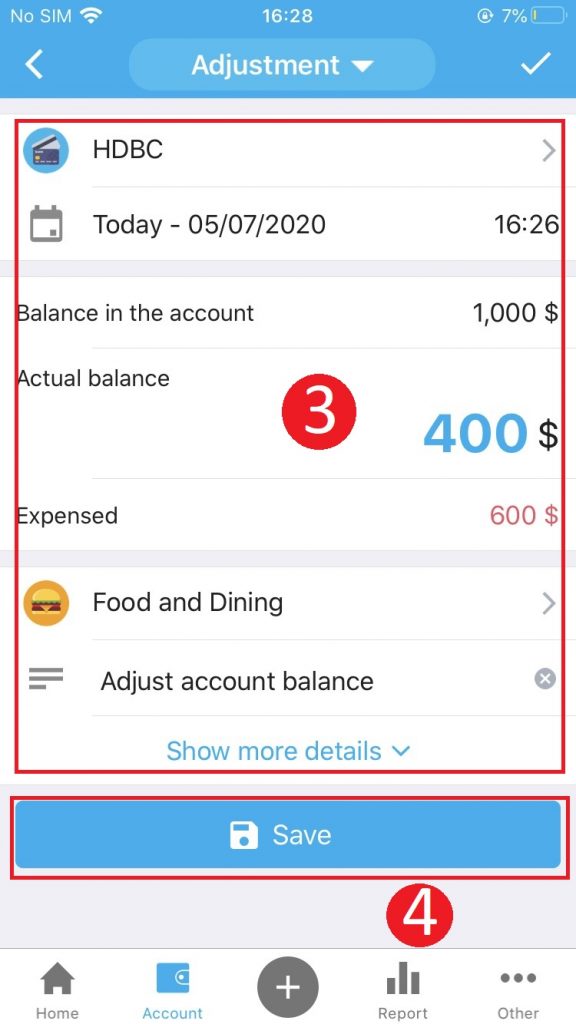


In case the actual amount and account balance on the Checkbook are inconsistent, customers can use the Adjustment feature to update the balance exactly.
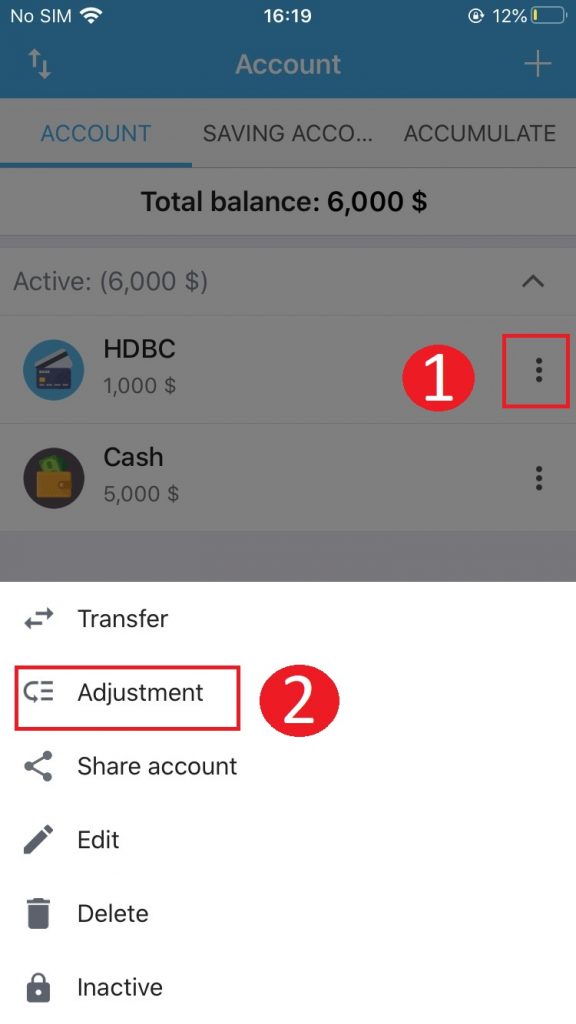
Step 1: Press the 3 dot button at the account you want to update, select Adjustment
Step 2: Adjust the balance
- Fill the actual balance (The system will automatically calculate the amount you have spent to update again to the current balance)
- Choose an item
Note: You can describe in detail the amount spent on the object or event trip by clicking Show more details.
Step 3: Click Save to finish