


You are holding group funds and you want other members to keep track of expenses in the group. Use the Share Account feature on the MISA Money Keeper
Sharers:
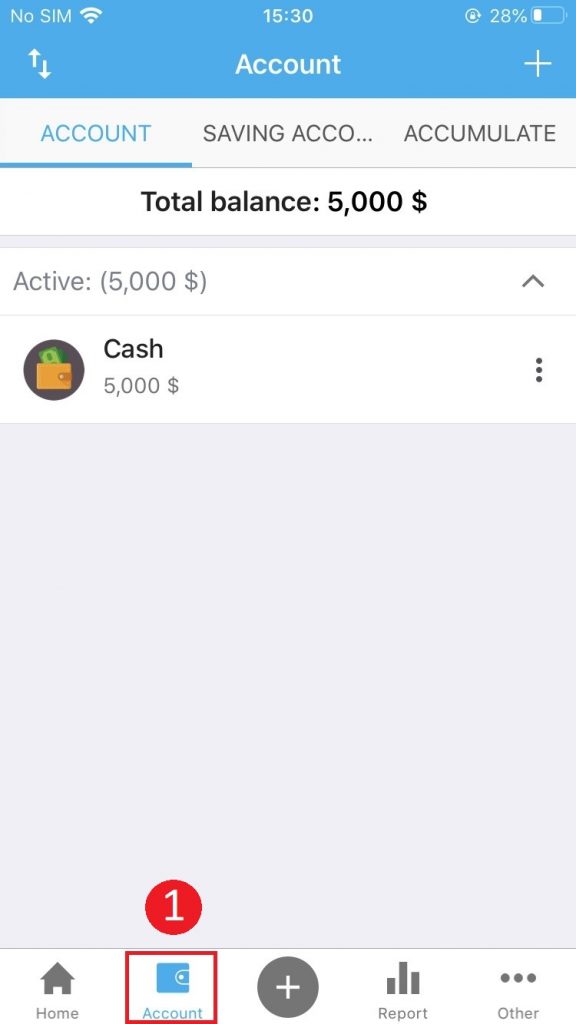
Step 1: At the Account tab, click the icon  next to the account to share.
Step 2: Click Share account
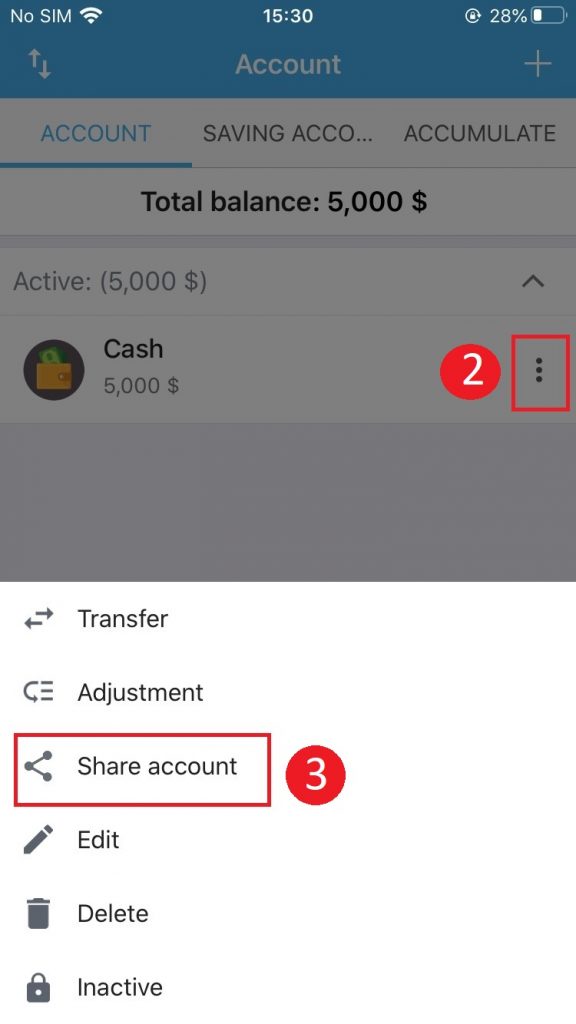
Step 3: Choose a sharing method
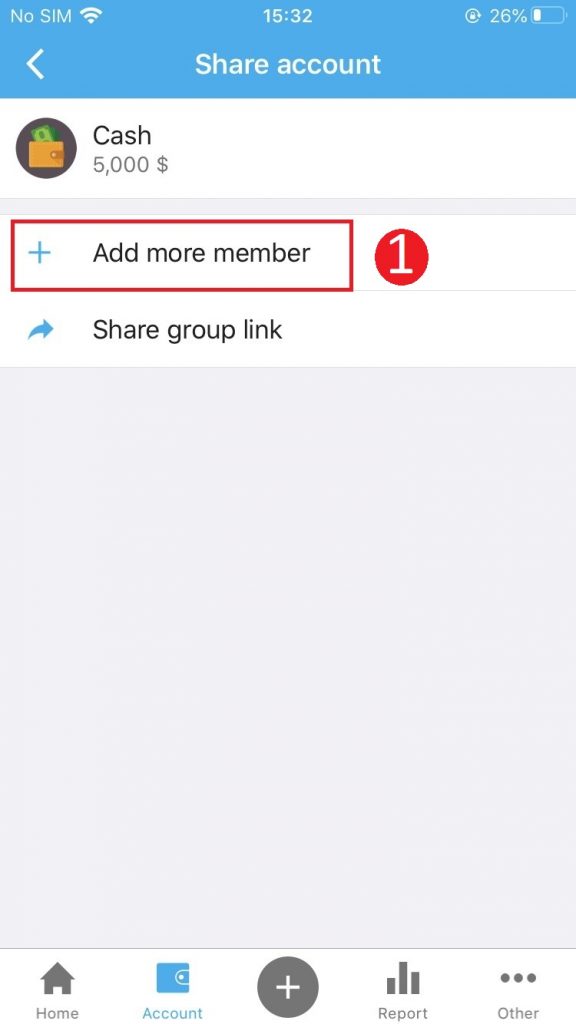
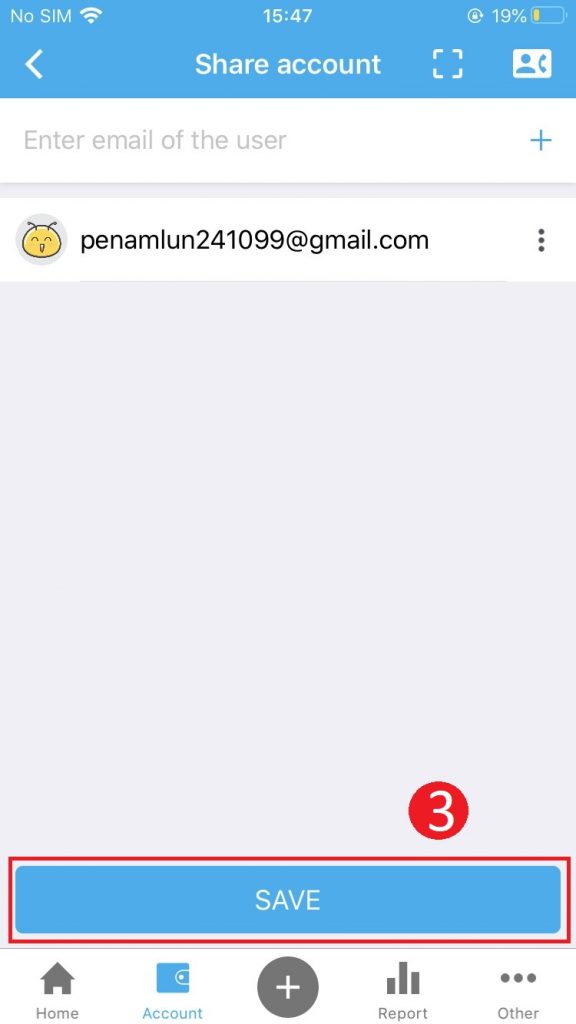
- Add members
- Click Add more member
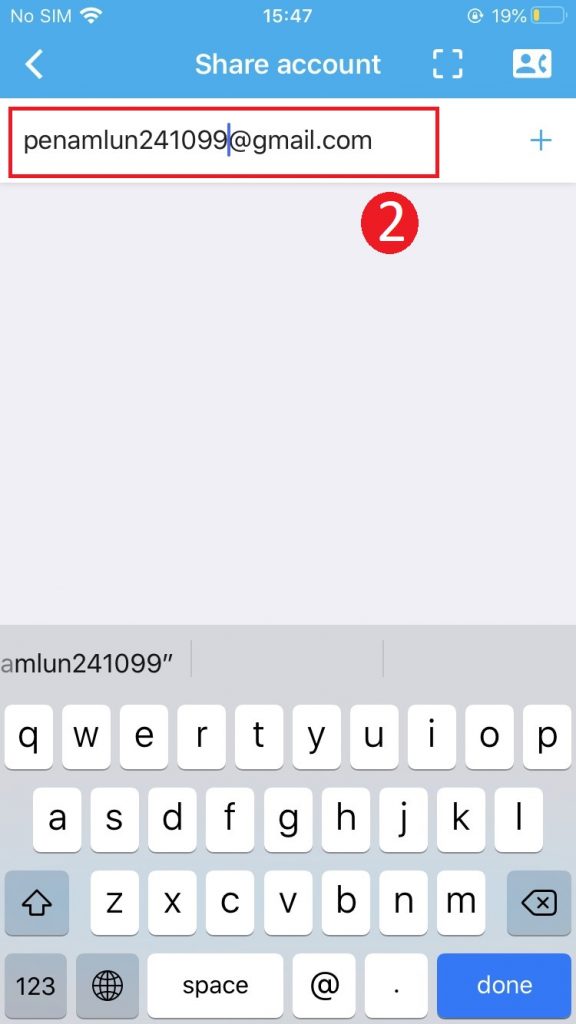
- Enter the email object you want to share then press the + button
- Click Save to complete the sharing process
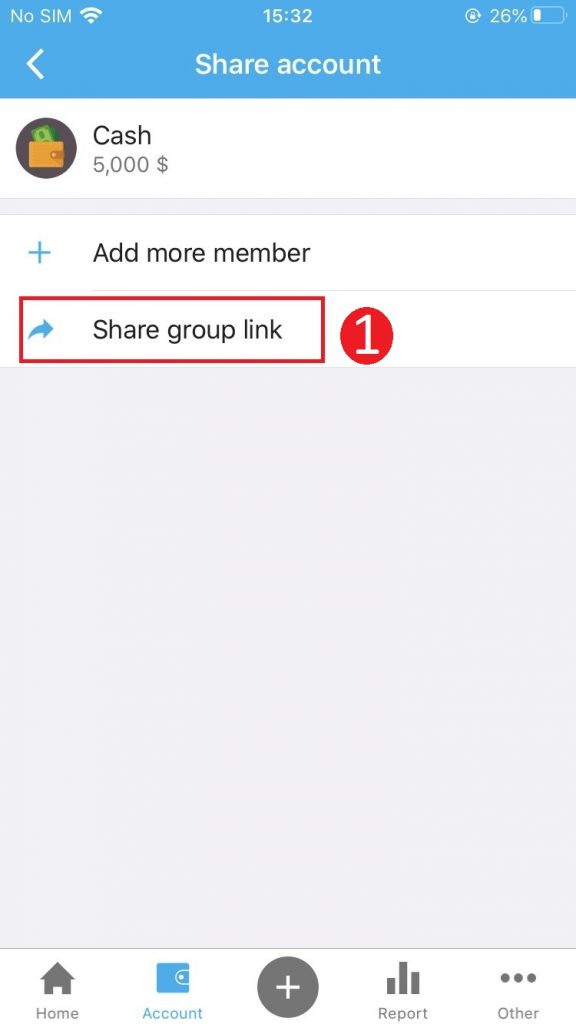
2. Invite to follow up by the link
- Click Share group link
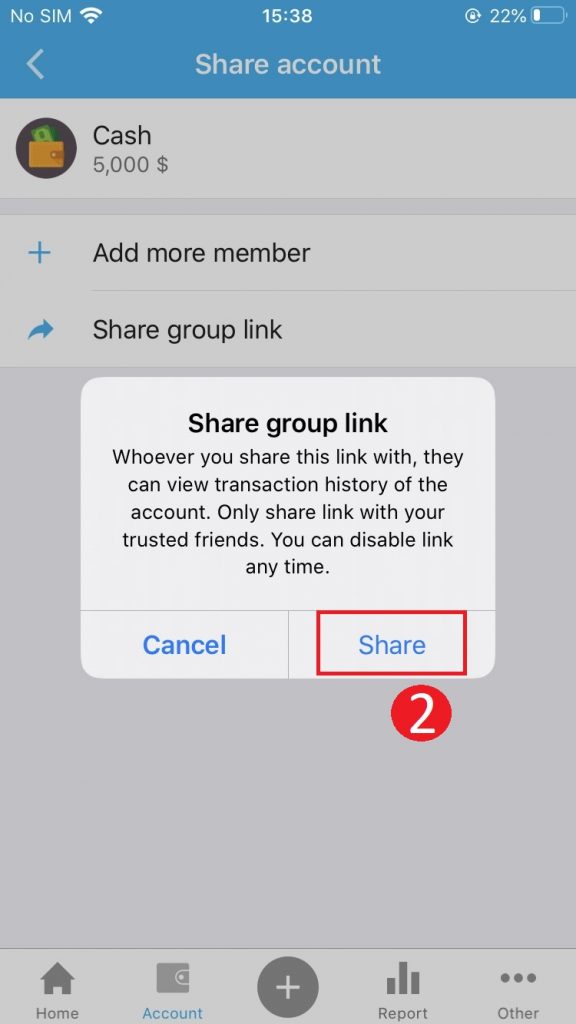
- Click Share
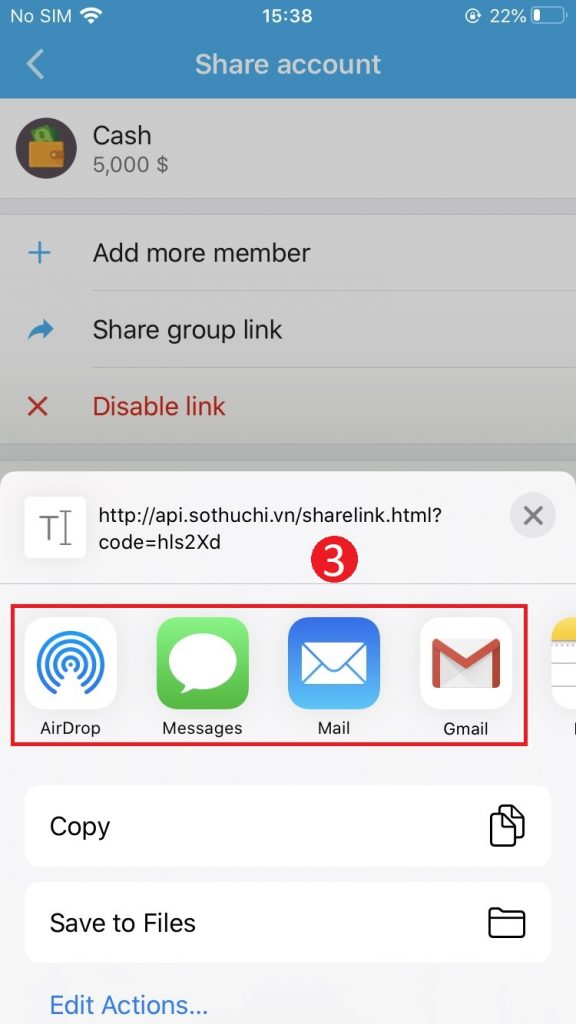
- Select the application you want to send the sharing link like: Message, Emai, Facebook …
People to share:
Step 1: Click Accept on the screen to display the account sharing notice from other users
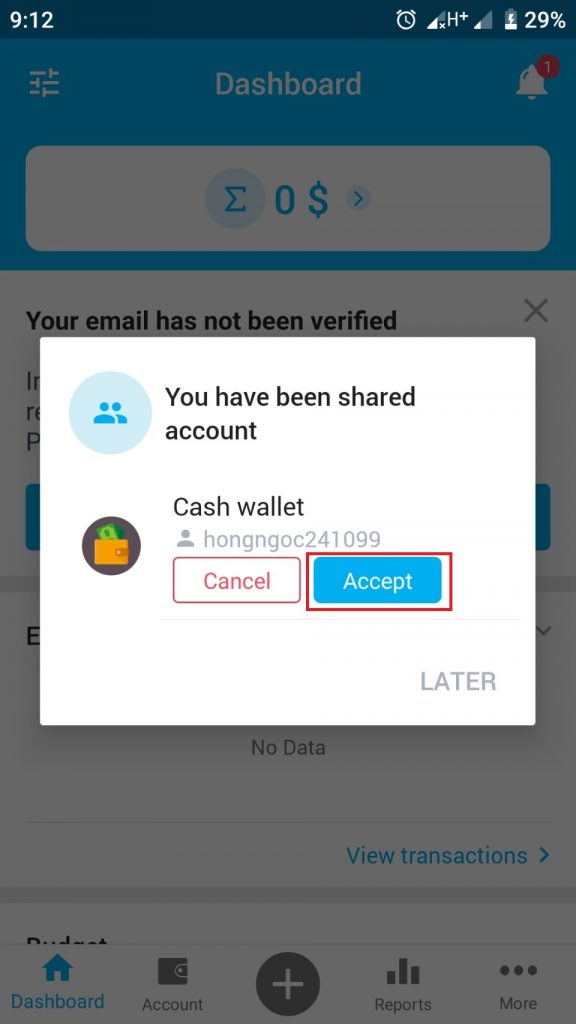
Step 2: Click the shared account to be able to track all spending records arising from the account.
Note: The shared person only keeps track of amounts arising from the account, but does not have the right to edit / add additional records to the shared account.