To set to the preferred language, please follow the instructions below:
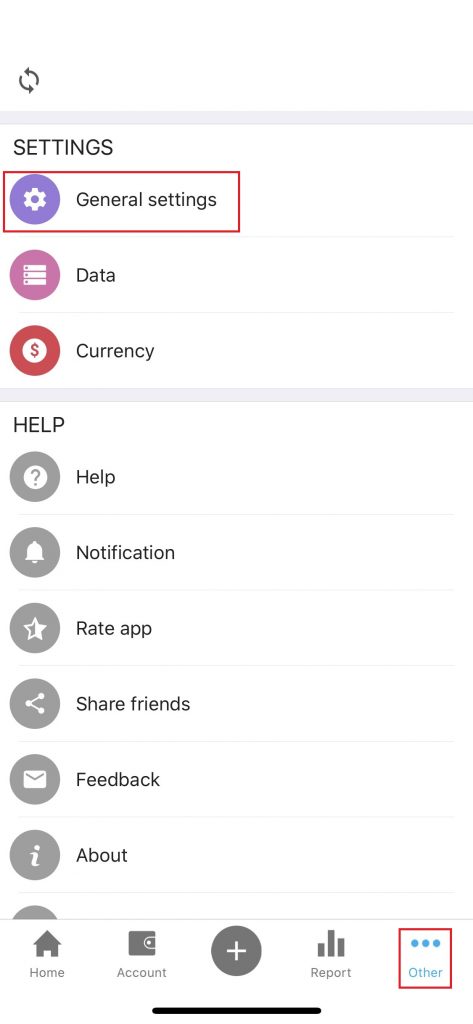
Step 1: Click Other, in Setting section, click General settings
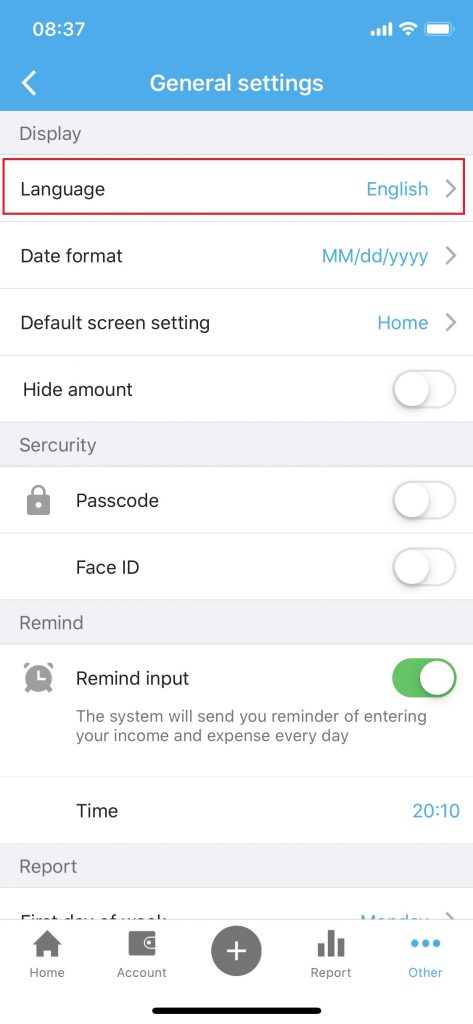
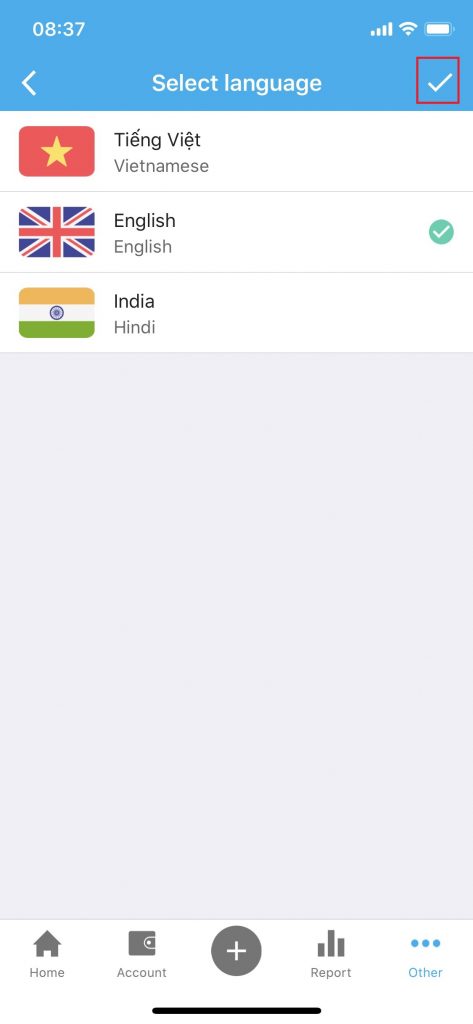
Step 2: Click on Language then select the language you want to use. Click 
 to save.

To set to the preferred language, please follow the instructions below:
Step 1: Click Other, in Setting section, click General settings
Step 2: Click on Language then select the language you want to use. Click to save.